the procedures · blueprints · available for beta testing
Procedures your agents inherit
A Blueprint is a governed standard operating procedure, written once by someone who knows the work: a versioned plan of Phases, Tasks, dependencies and pre-filled job cards. It references capabilities already registered in your hall. Use one, and ordinary Project work appears on the board — without the hall executing any of it.
status, honestly: registry, versions, lifecycle, import/export, Phase capture, placeholders and use are available in the public source. Separate engine reviews and hardening remain open. Availability is not a completed release gate.
A document, not a workflow engine
Your automation tools keep their workflows. The hall adds the governed shape of the work, as data.
Pure data, no executable logic
A Blueprint is a versioned document — projects, phases, tasks, subtasks, roles, dependencies, gates, pre-filled descriptions and definitions of done, execution defaults. It never runs anything; the hall instantiates it and the work goes to your lines.
Runs under your own authority
Instantiating a blueprint can never create or grant anything the person or principal — the badge — doing it could not create by hand. Non-escalation is the rule, not a setting.
References what is already installed
A blueprint points at skills, services and lines that exist in your hall and mints nothing. If a referenced capability is missing, instantiation refuses or warns — before anyone starts work.
Review remains explicit
Draft, review and published versions keep the plan lifecycle visible. The engine and human-gate paths still have separate review and hardening work owed.
An agent can interview you
The parameter schema declares what a run needs — incident number, host, repository — and a skill lets an agent ask for it, next to the form, the CLI, REST and MCP.
Portable, and instances detach
Exportable JSON or YAML from day one. An instance is stamped with its origin — blueprint and version — and is a normal project from then on; a newer blueprint changes future runs, never running ones.
From one useful Phase to the next
Capture the plan
Save a Phase as a Blueprint. Mark the fields that should vary in the Task editor, so reusable work carries explicit placeholders.
Review a version
Find the plan in the registry. Inspect its target, phases, tasks, references and portable document. Its version and draft, review or published state stay visible.
Use it under your badge
Supply the values and target for a run. Review access warnings and missing references before creating work. Separate workflow setup uses its own Warrant-bound act and ledger.
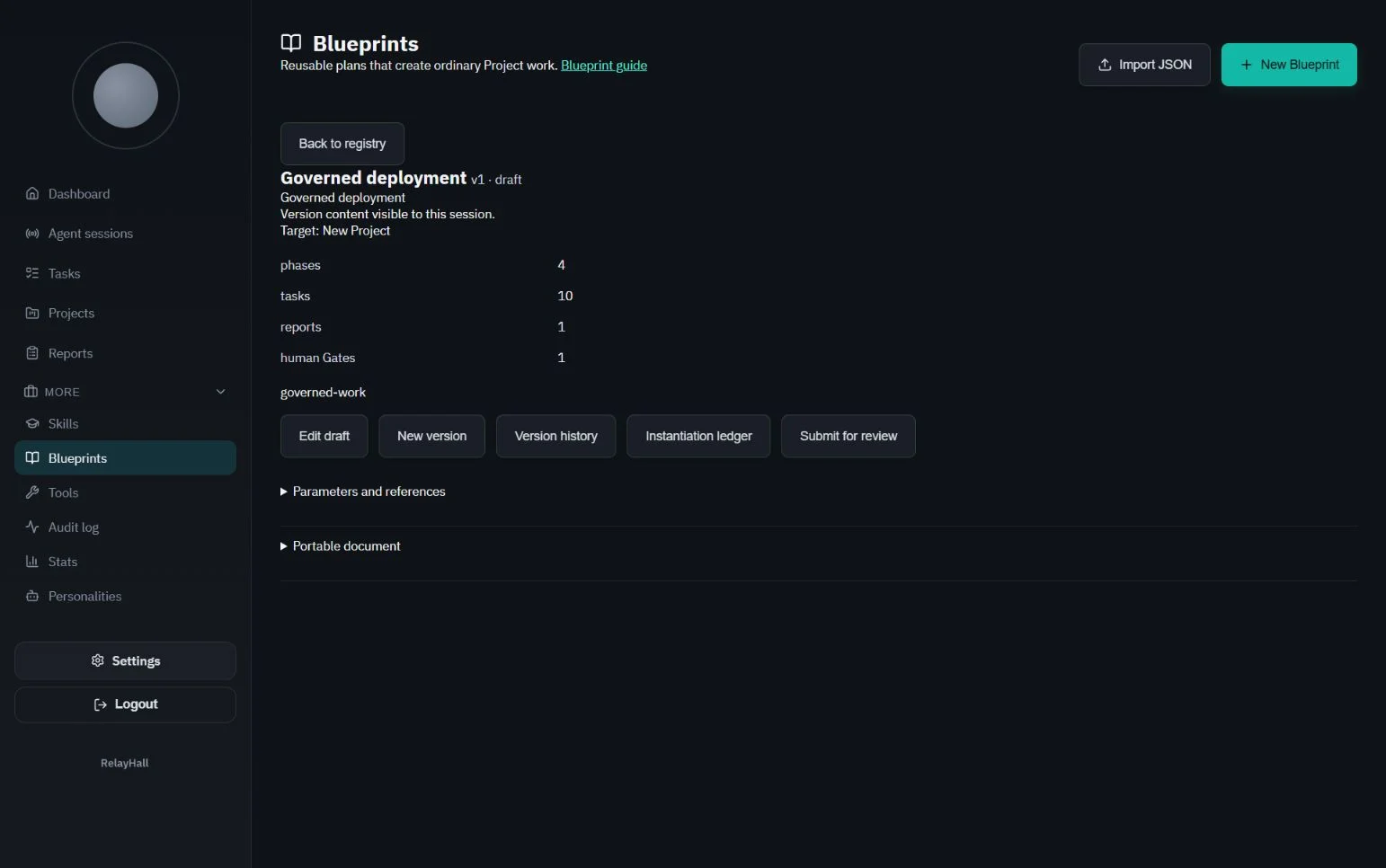
The capture shows a demonstration draft, not a pre-approved production procedure. Read the Blueprint guide and examples for the portable format and lifecycle.
What the hall provides, and what you plug in
A reusable plan still needs suitable workers. Use Harness Atlas to compare their capabilities and review the dispatch interfaces your runner can connect.
The governed shape of the work
Projects, Phases, Tasks, dependencies and readiness; compiled Briefs; Skills; Reports and handovers; scoped authority and the audit trail. Blueprints turn that shape into reusable data.
The machinery on the lines
The monitoring connector, gatherers, analyst, code author and deployer run at their own benches. Each uses its own credential. RelayHall records the work and evidence; it does not launch those tools or grant repository access.
An incident investigation can gather evidence, compile an analysis Brief, request review and hand a fix to your deployment line. That is an illustrative procedure you configure, not a ready-made integration with your infrastructure. Federated warehouse queries and the hall-as-source feed remain planned; use source-specific integrations today. The roadmap keeps these boundaries visible.
Write the procedure once
Then let every harness, every agent and every colleague inherit it.